SmartQ.tv · Reference
User Roles: page levels, scope, and save recovery
Reusable roles define page access, not location membership. Review the saved result: some permissions offered by the current editor are not retained by the current role-saving service.
What this does
Reusable roles define page access, not location membership. Review the saved result: some permissions offered by the current editor are not retained by the current role-saving service.
Before you start
- Select the intended group.
- Editor access to Roles is required to create, change or delete a role.
Steps
- Choose a custom role or Create role.
- Set a unique name and the intended group or location scope.
- Review each page permission; module-wide choices are limited separately by your access to each page.
- Read the saved-permission limitation before changing Creative Studio, Reviews or Developer API Access.
- Save, reopen and verify the role and affected user access.
Current screenshot
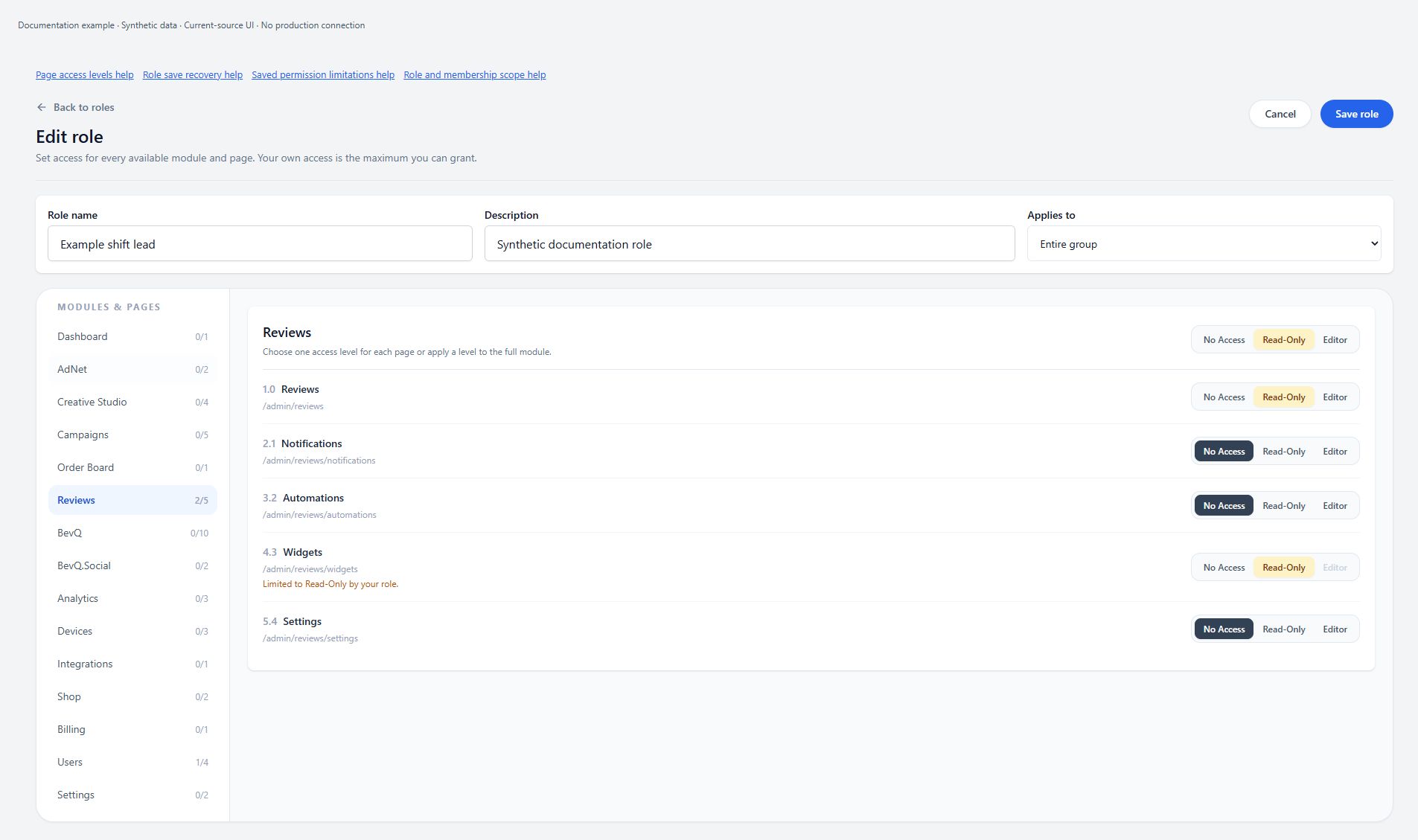
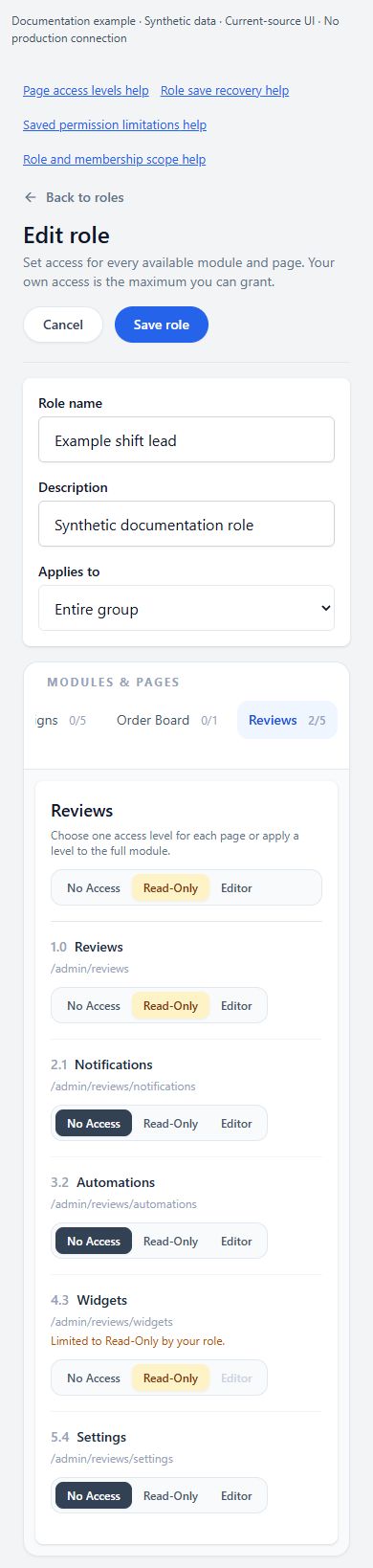
Page levels and module-wide choices
No Access, Read-Only and Editor are alternatives for one page permission, not three independent permissions. A module-wide choice updates each page separately and caps it at your own level for that page. The module indicator shows the highest selected page level; it does not mean every page has that level. Integrations offers only No Access or Editor. Modules depend on the effective group/location configuration. Changing scope can hide modules; saving clears permissions for hidden modules in the ordinary Admin editor. The BevQ shared editor preserves its explicitly excluded modules rather than treating them as user-selected removals.
Some offered page permissions are not retained
The current role editor offers Creative Studio, Reviews and Developer API Access permissions, but the current role-saving service does not retain those page IDs. Do not assume choosing Editor and seeing Role saved grants access to those pages. Reopen the role and verify actual access; contact SmartQ Support if you need those permissions. Changing unrelated permissions repeatedly is not a reliable remedy. This limitation applies to the inspected reusable-role save path, not a claim that every account lacks access to those products.
A role scope is not a user assignment
A role can be group-wide or location-specific. A location-specific role can only be assigned to its one selected location, without parent access; it does not add the user to a location by itself. The save service validates that the location belongs to the group and is within the acting user’s allowed location scope. Group-wide role configuration is not proof that the user has been granted parent-level membership. Verify the actual user assignment separately. Built-in Admin roles are not editable custom roles.
Save validation and partial propagation
Use a nonempty role name of at most 80 characters, unique within the group without regard to letter case. Admin is reserved. Description is limited to 300 characters. If a location is requested, select an existing location within your scope. You cannot grant page access above your own level. On an existing role, the service saves the role before propagating changes to assigned users in batches. A failure can therefore leave the role and some users updated. After a save error, reopen the role and inspect affected user access before retrying; contact Support if propagation is inconsistent. Role saved is not proof that unsupported page IDs were retained.
Delete only after checking assignments
Delete asks for confirmation and immediately calls the role service after confirmation. Cancel does not delete. The built-in Admin role cannot be deleted. A custom role still assigned to any user cannot be deleted: arrange the intended replacement assignments first, then retry. This requires the appropriate Users access in addition to Roles editing; do not remove access indiscriminately merely to make deletion succeed. The service also checks the role’s permission levels against your own. After an ambiguous delete failure, reload to check whether the role still exists before retrying. Contact Support if authorized deletion still fails.
An empty-looking list is not proof of a completed read
The Roles list initializes empty and does not have a separate loading flag. No custom roles yet can appear before the subscription returns, as well as when no custom roles exist. Could not load roles indicates a read failure, not an empty group. Check the selected group, connection and access; reload once, and contact Support if the read still fails. A failed location-list read also leaves the location choices empty without a dedicated error message. Do not create another role merely because the current list or location choices look empty.
Permissions and scope
- Roles editor access is required for mutations. The backend also checks requested page levels against your own access. Location-specific role assignment requires exactly that location and no parent access.
Mobile
- The same editor uses a horizontally scrolling module selector below the desktop layout breakpoint and stacked page controls on narrow screens. This is one semantic control set, not an extra mobile denominator; visual acceptance remains outstanding.
What happens next
Verify the saved result in the correct scope and delivery path. A preview or status badge is not proof that every production Player has refreshed.
Warnings
- This source-reviewed guide describes the named paths only. Operational coverage and production visual verification are still in progress.