Campaigns · Reference
TV campaign Player assignments, scope, and save behavior
Explicit Player assignments override legacy label matching. Picker eligibility and scope determine what can be selected; saving a selection on an existing campaign is an immediate write.
What this does
Explicit Player assignments override legacy label matching. Picker eligibility and scope determine what can be selected; saving a selection on an existing campaign is an immediate write.
Before you start
- Confirm whether you are editing an All locations campaign or a location campaign.
- Use registered Campaign-capable Players in the intended scope.
Steps
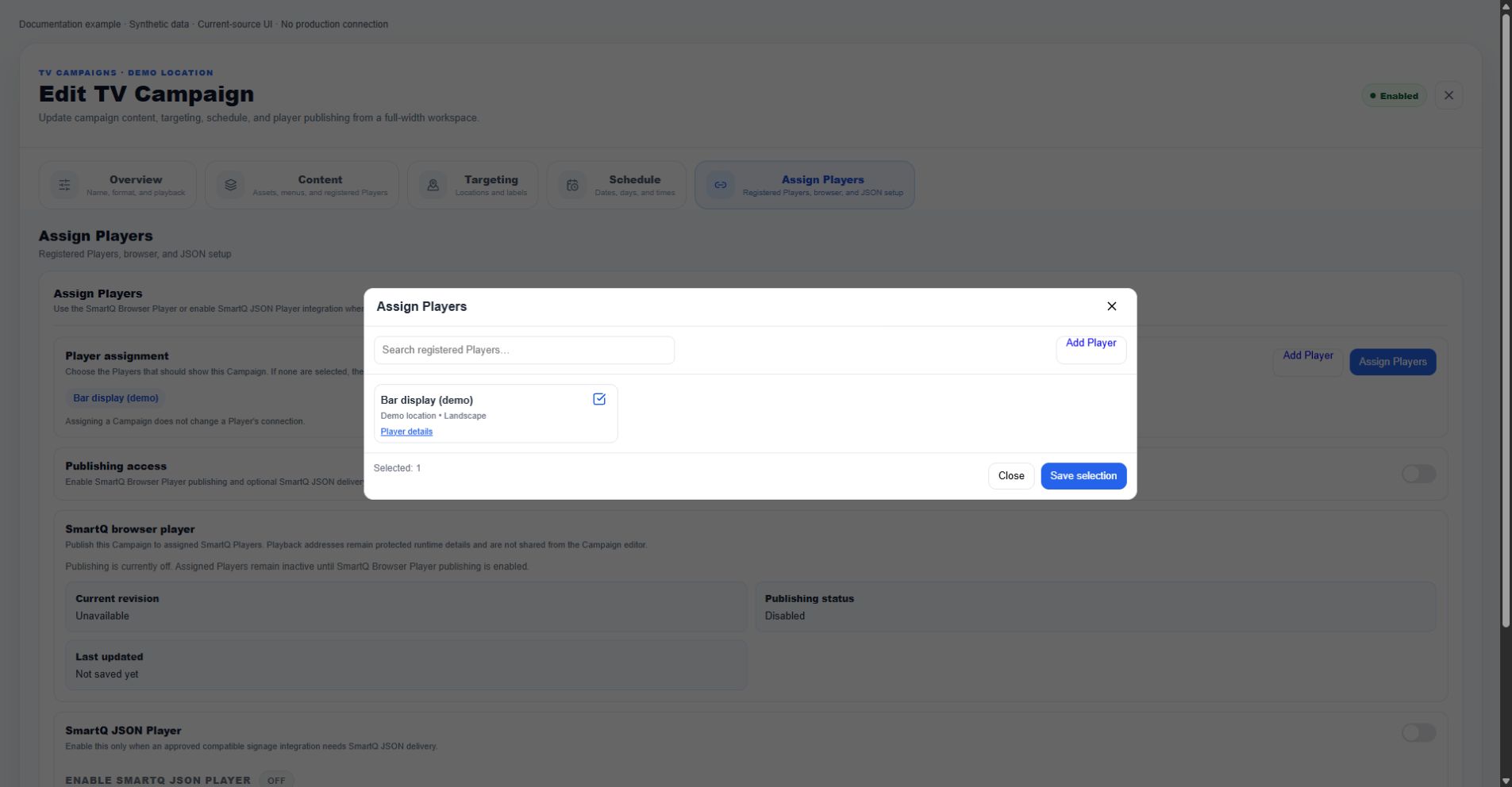
- Open the campaign and its Player assignment controls.
- Review available Players and the Selected count.
- Select only the intended screens; do not rely on labels to add more Players when explicit assignments exist.
- On an existing campaign, Save selection persists the Player assignment immediately.
- For a new campaign, selections are staged until Create Campaign.
Current screenshot
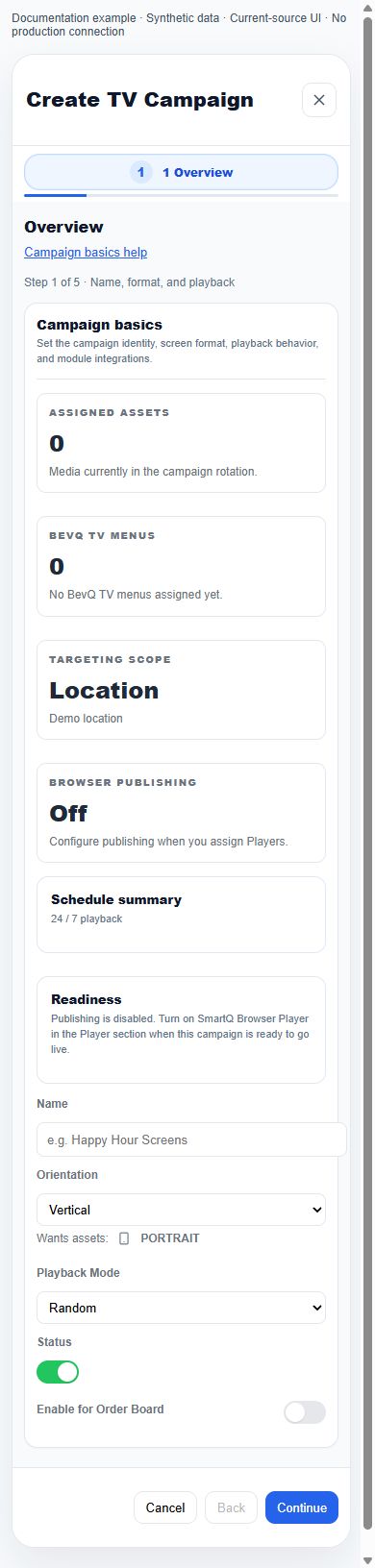
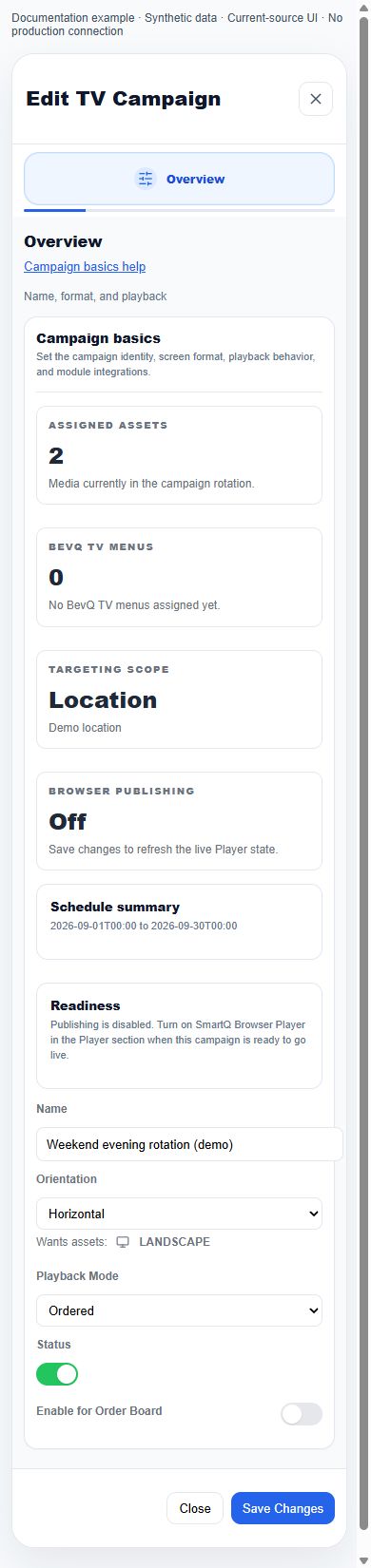
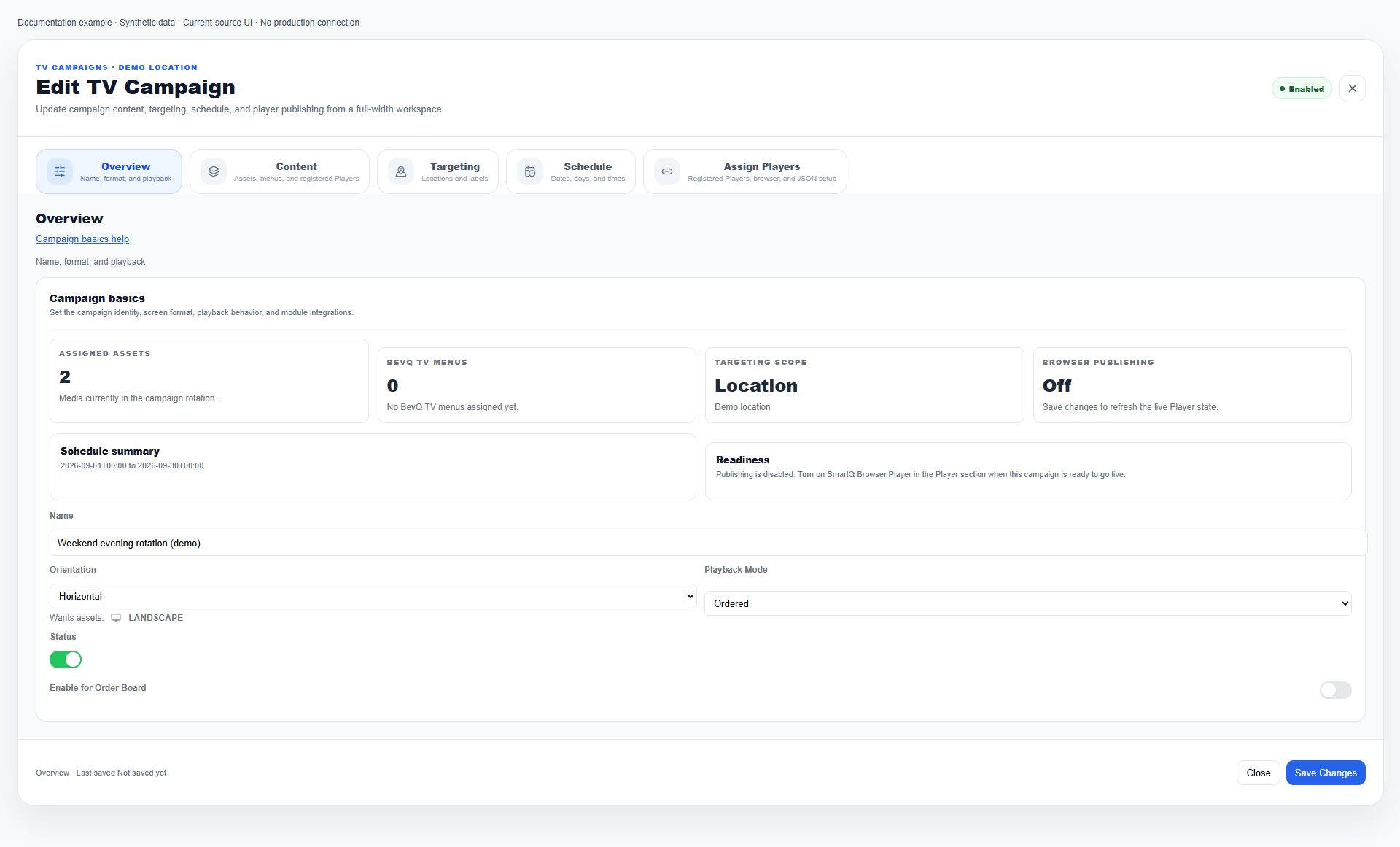
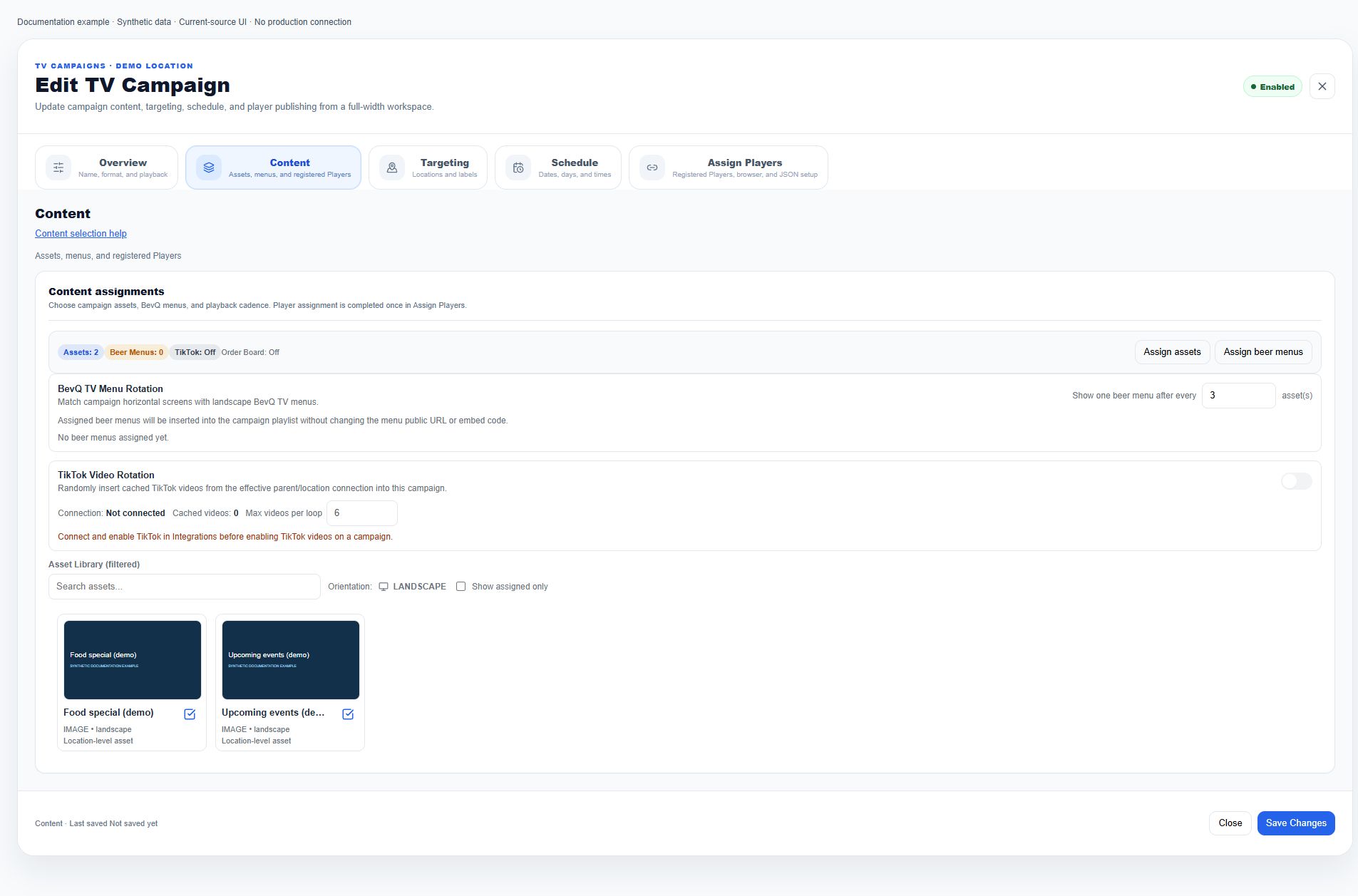
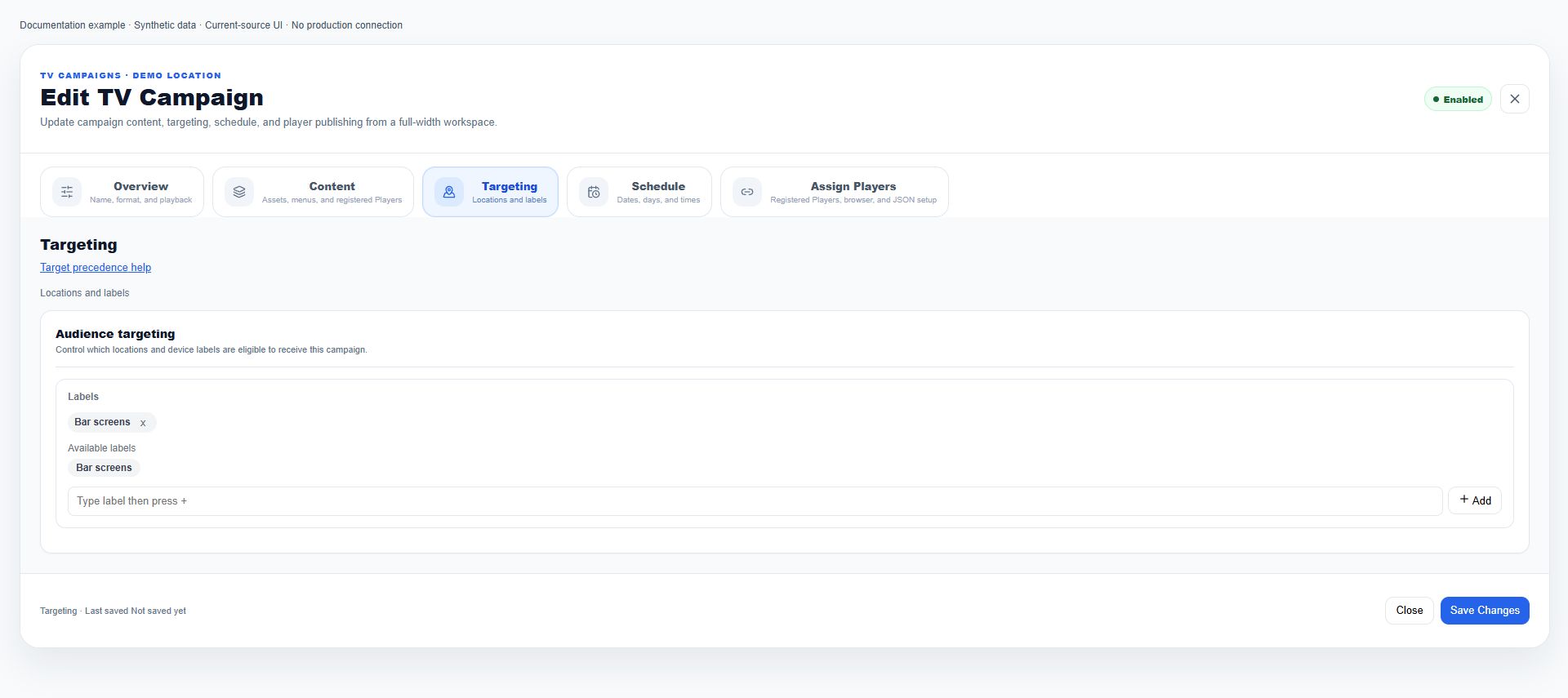
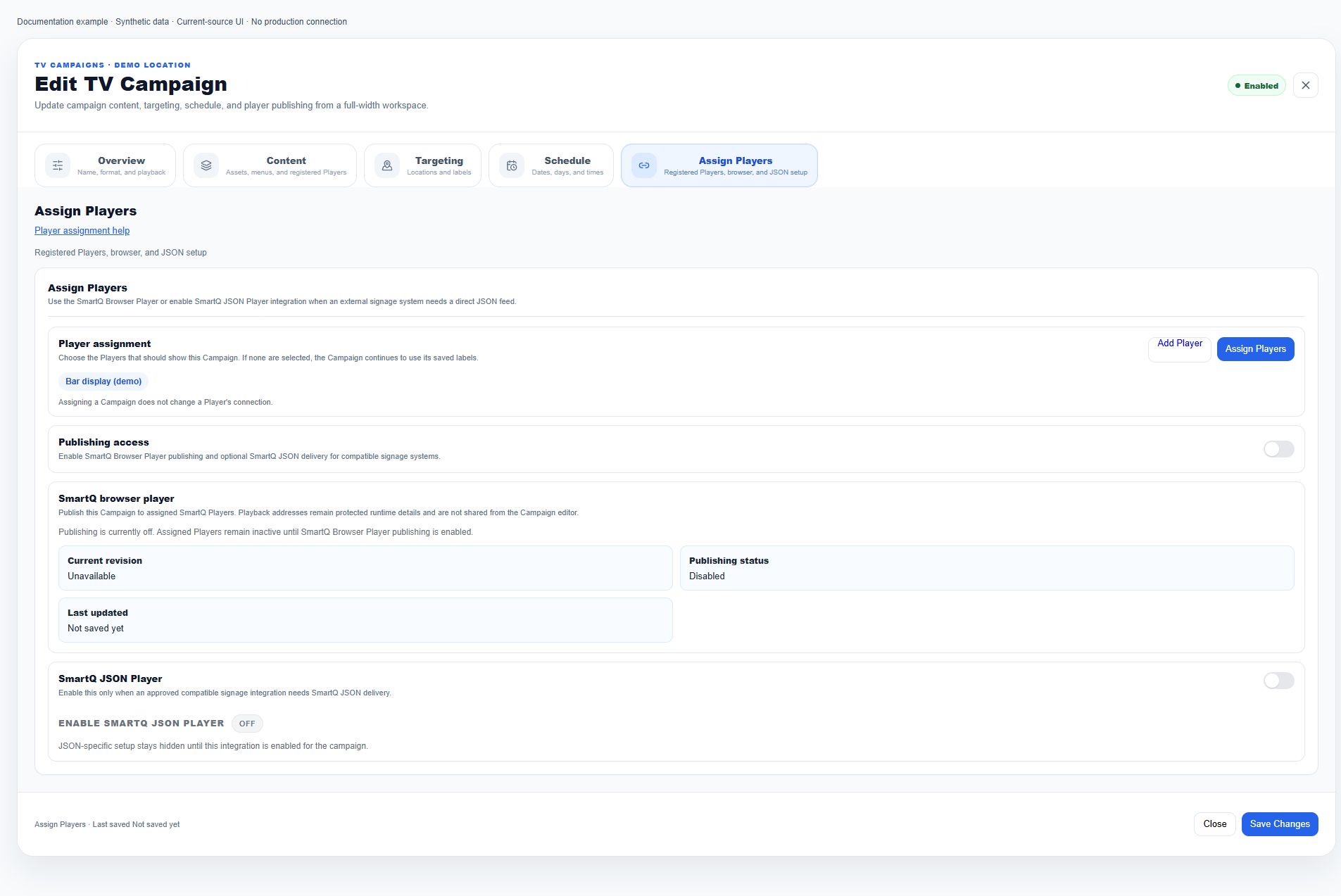
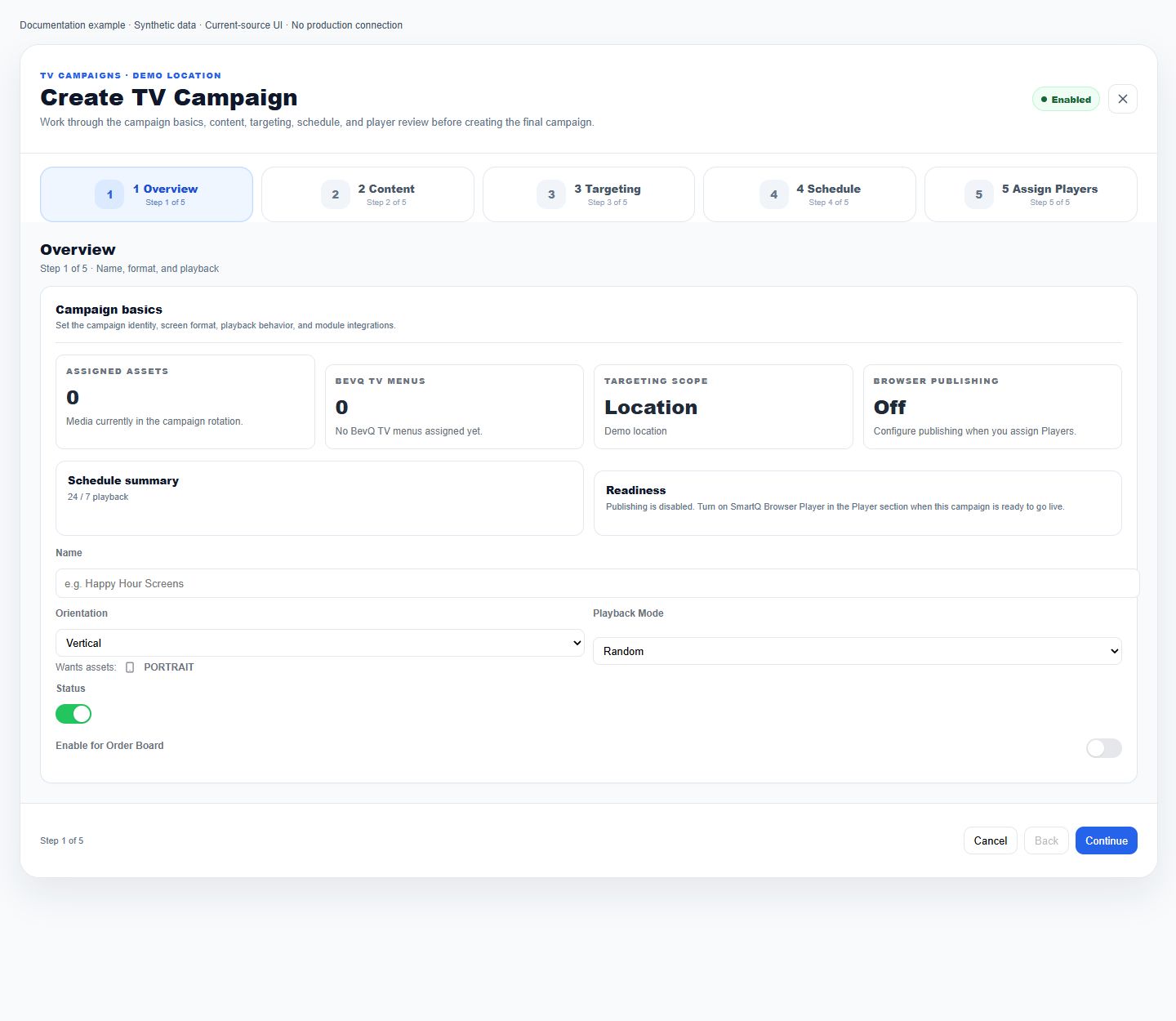
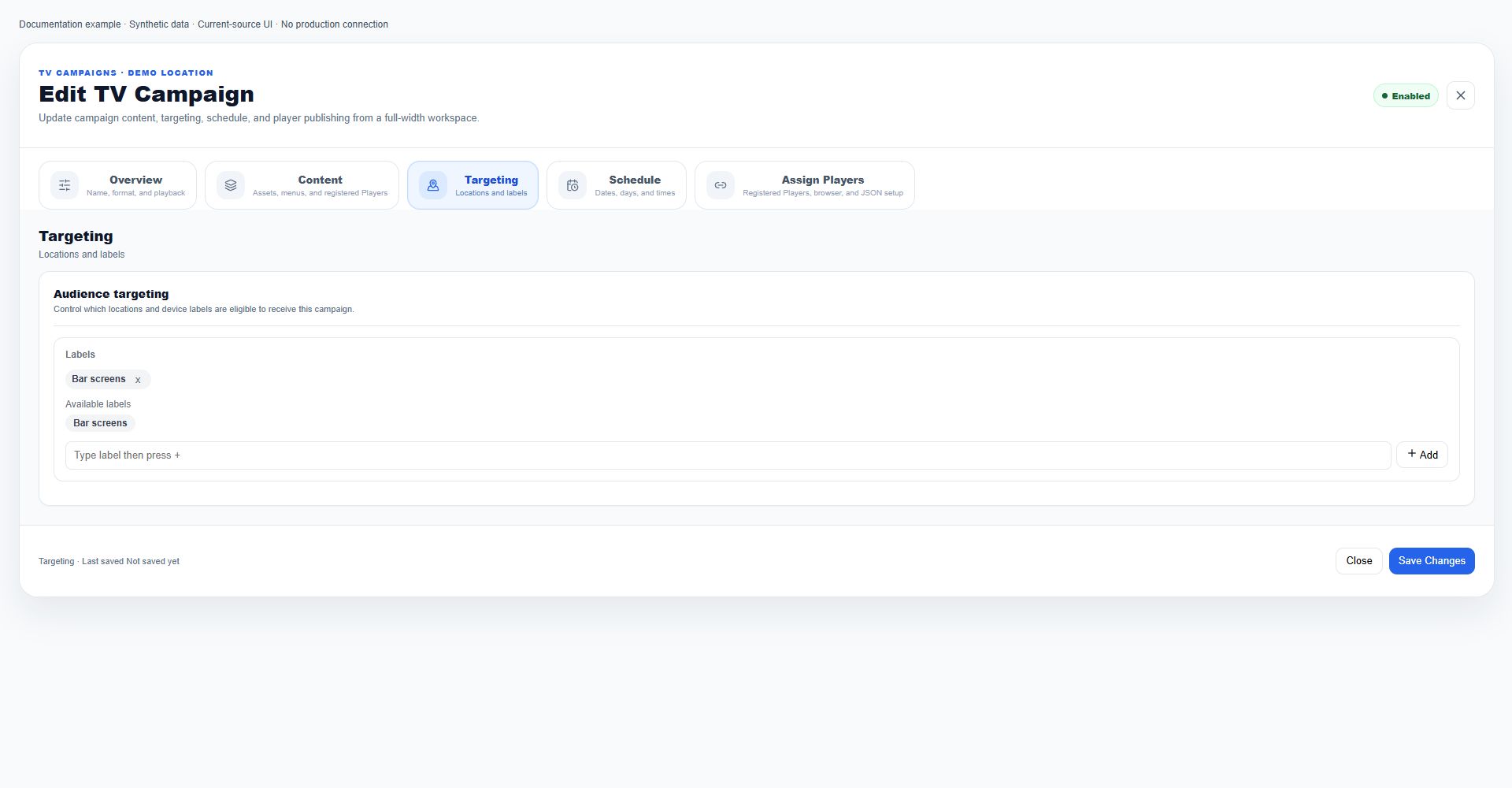
Campaign-side asset selection has a separate save
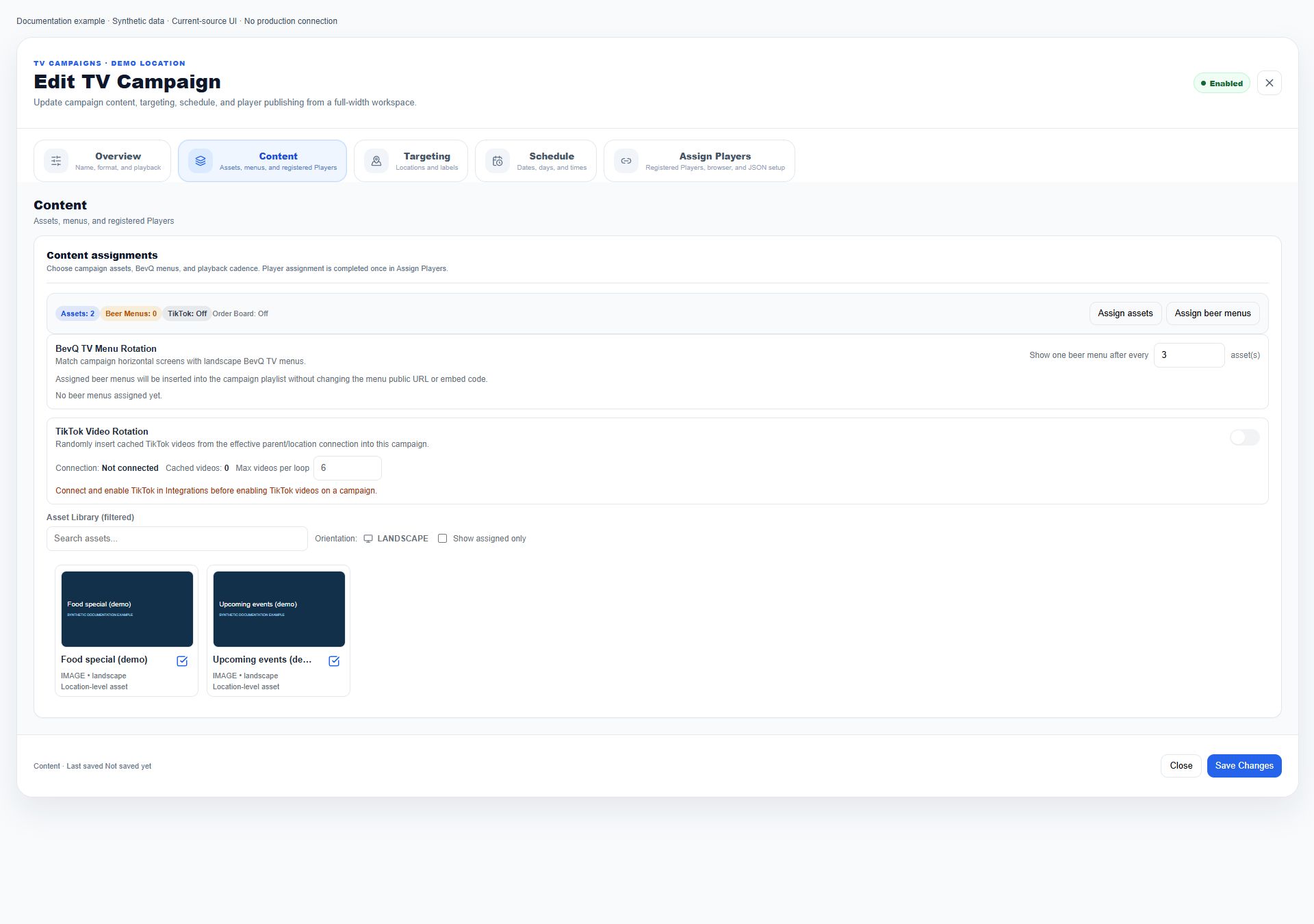
The campaign Content panel filters the library by asset name and compatible orientation or exact Order Board placements. Show assigned only changes that display filter. At a location, inherited parent assets are locked unless the parent is managing that location campaign. The picker Selected count describes selected IDs, not currently playable assets. Save selection on an existing campaign commits assetIds, then synchronizes asset back-references; it is an immediate write independent of the main Save Changes button. A new campaign only stages selection. A synchronization failure can follow a successful campaign write, so reopen saved state before retrying.
Player orientation, location, and text filters
After registration/capability eligibility, the Player picker filters by the campaign location or selected target locations. A record without a locationId is not excluded by that location filter alone. Known Player orientation must match the campaign; unknown orientation is not excluded by the orientation check. Search matches Player name, location name, endpoint customer label, and labels together, case-insensitively. Clear search and check scope, orientation, registration, and capabilities when a screen is missing; do not change production targeting merely to test picker visibility.
TikTok rotation dependencies and maximum videos
Include TikTok videos uses the effective enabled parent connection first, otherwise the enabled location connection; a connection is considered available when marked connected or carrying a videos array. The toggle and Max videos per loop are unavailable without that connection and on Order Board campaigns. Maximum starts at 6 and is clamped to 1–20; blank or invalid input falls back to 6. Cached video count is informational, not proof of freshness or successful delivery. The editor stages these fields until saving. Provider refresh, approval, and native runtime insertion require separate verification and are not established by this editor control.
Campaign list on mobile versus desktop
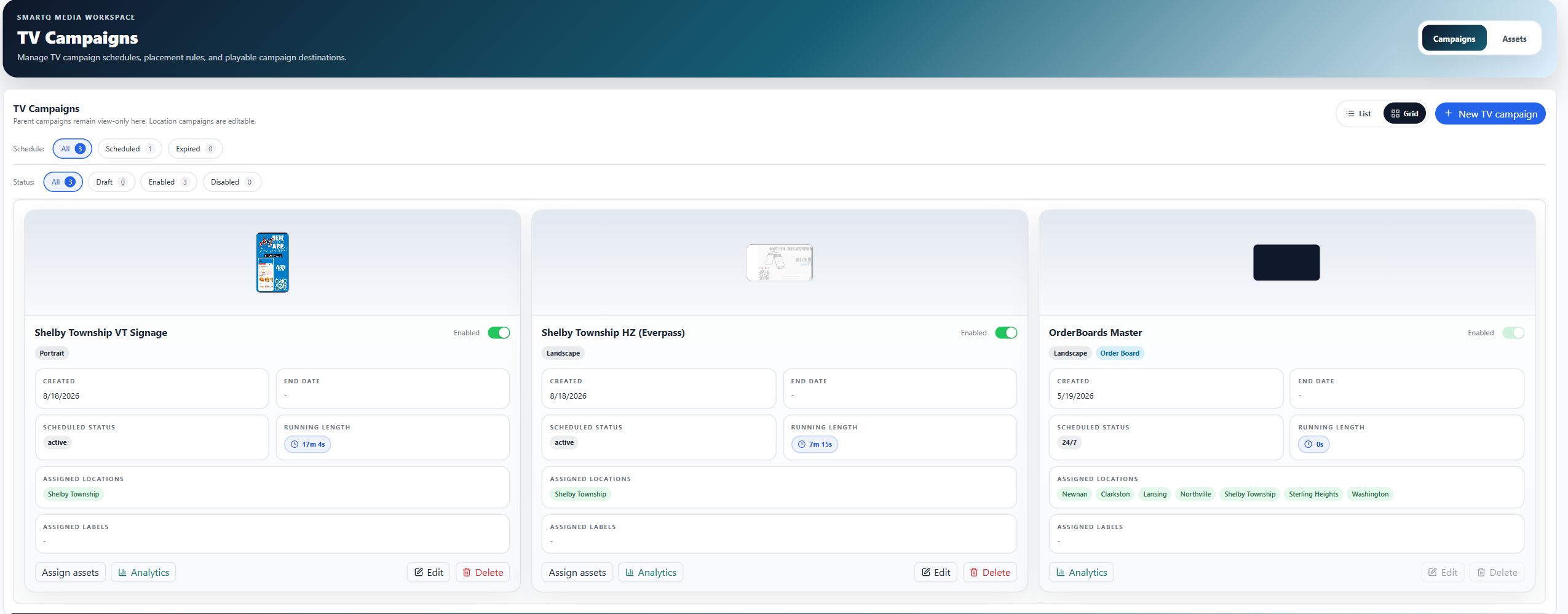
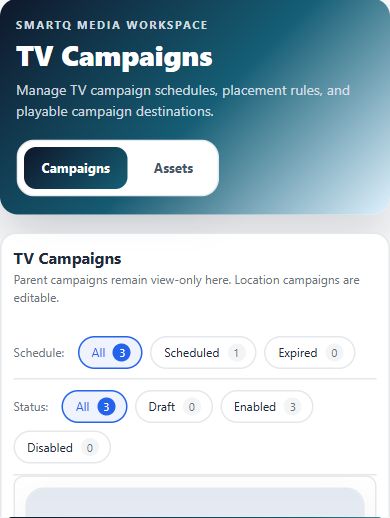
At viewport widths up to 1023.98 CSS pixels, the campaign list forces grid cards and hides the List/Grid switch, New TV campaign, and per-card Edit buttons. Existing schedule/status filters, running-length details, and applicable assignment, analytics, and delete actions remain; mobile is not automatically read-only. Use a desktop-width workspace for the omitted creation/edit controls. Desktop List/Grid preference is remembered locally, not a campaign configuration change. The deployed Shelby Township list was inspected at 390 CSS pixels; this does not establish mobile parity for the editor or other products.
Explicit Players versus legacy labels
When a campaign has any explicit deviceIds, only a matching Player ID qualifies: labels cannot add other Players. When no explicit IDs remain, the helper falls back to an intersection of campaign labelIds and the Player's labels. An empty Player list is therefore not necessarily 'no targets'; clearing it may restore legacy label targeting. If both lists are empty, this matching helper returns false. Check the assignments before removing the last explicit Player.
Why a Player can be unavailable
The campaign assignment predicate excludes UNPAIRED, REVOKED, SUSPENDED, and CANCELED records. Current Player read-model records need the CAMPAIGNS capability. Other schema-versioned records must be REGISTERED, ACTIVE, OFFLINE_GRACE, or SHADOW_CREATED and carry CAMPAIGNS in moduleCapabilities. Older records without schemaVersion are grandfathered by this predicate. Offline status alone is not proof that a Player cannot be selected. Check registration, capabilities, and selected scope; contact Support for a misclassified record rather than re-pairing or deleting it blindly.
Save selection can persist immediately
In Assign Players, the Selected count is the current number of chosen IDs, not a count of online screens or guaranteed deliveries. Save selection updates deviceIds immediately on an existing campaign and reports Players assigned. On a new unsaved campaign it reports Players staged and requires Create Campaign. Closing the main editor after a successful picker save does not undo that already-persisted assignment. If Failed to assign Players appears, re-open the saved campaign to check its state before retrying.
Campaign name and create validation
Campaign name is required and trimmed on save; the new editor starts blank. Creation review also requires prepared campaign and signage IDs and at least one asset, BevQ TV menu, or TikTok rotation. A disabled campaign is a warning, not a substitute for a separate draft status. The main enabled toggle switches Enabled/Disabled. If creation reports that the campaign is still being prepared, wait for preparation and retry rather than creating duplicate campaigns.
Permissions and scope
- Campaign route access is required. Player visibility is also constrained by scope, record type, registration, and capabilities; complete permission inheritance is not yet audited.
Mobile
- The Player picker needs desktop and mobile production verification. No mobile parity claim is made from route coverage.
What happens next
Verify the saved result in the correct scope and delivery path. A preview or status badge is not proof that every production Player has refreshed.
Warnings
- This source-reviewed guide describes the named paths only. Operational coverage and production visual verification are still in progress.