BevQ.social · Getting Started
BevQ.social account, profile, privacy, and notifications
Create and verify a member account, complete the profile, and manage available privacy and notification preferences.
What this does
Create and verify a member account, complete the profile, and manage available privacy and notification preferences.
Steps
- Create an account or sign in.
- Complete required verification and profile fields.
- Open Profile to edit public identity values.
- Open Settings for email, push, privacy, and personalization options shown.
- Save and verify the resulting profile or preference state.
Current screenshot
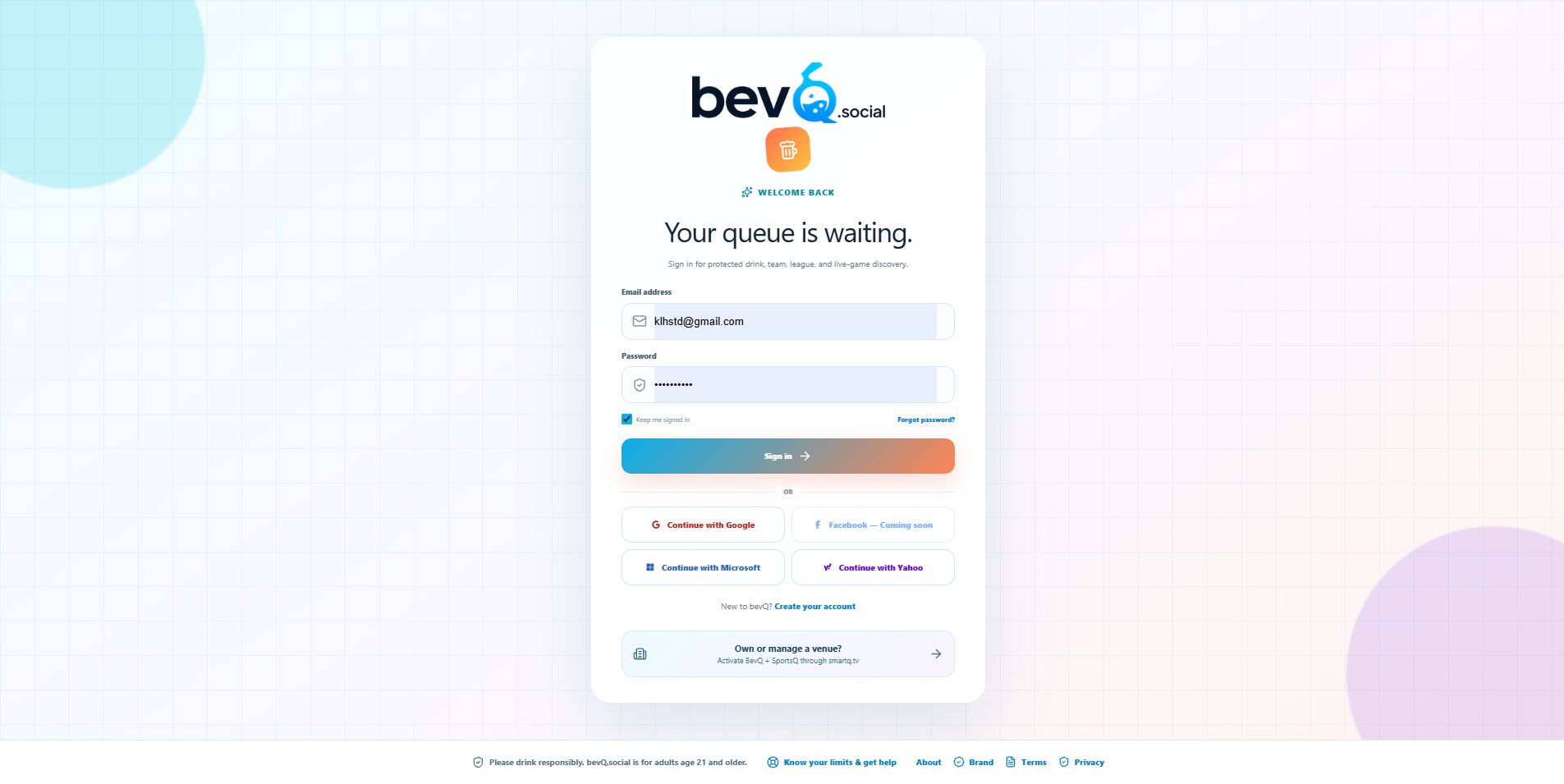
Settings reference
Email and push preferences control eligible communications; privacy controls public/member visibility; personalization influences recommendations where exposed. Defaults are those shown for a new account and can be changed only after sign-in. This control is covered by the BevQ.social account, profile, privacy, and notifications workflow. This control is covered by the BevQ.social account, profile, privacy, and notifications workflow.
Profile
Display name, avatar, and available public details appear on member surfaces according to privacy settings.
Settings reference
| Setting | What it does | Default | Scope | Notes |
|---|---|---|---|---|
| Email and push notification preferences | Configures email and push notification preferences. | Current product default shown in the UI | current account | Requires signed-in user; displayed choices are authoritative for the current account and release. |
| Privacy and personalization preferences | Configures privacy and personalization preferences. | Current product default shown in the UI | current account | Requires signed-in user; displayed choices are authoritative for the current account and release. |
Mobile
- On narrow screens, open the sidebar or overflow menu to reach the same actions; labels and save behavior are unchanged unless this article says otherwise.
Email sign in
This control is covered by the BevQ.social account, profile, privacy, and notifications workflow.
Applies to /signin
Verification and authentication errors
This control is covered by the BevQ.social account, profile, privacy, and notifications workflow.
Applies to /signin
Return to intended page
This control is covered by the BevQ.social account, profile, privacy, and notifications workflow.
Applies to /signin
Account fields and consent
This control is covered by the BevQ.social account, profile, privacy, and notifications workflow.
Applies to /account/create
Email verification
This control is covered by the BevQ.social account, profile, privacy, and notifications workflow.
Applies to /account/create
Required-field, duplicate, and cancellation states
This control is covered by the BevQ.social account, profile, privacy, and notifications workflow.
Applies to /account/create
Profile and avatar fields
This control is covered by the BevQ.social account, profile, privacy, and notifications workflow.
Applies to /complete-profile
Required steps and completion
This control is covered by the BevQ.social account, profile, privacy, and notifications workflow.
Applies to /complete-profile
View and edit profile
This control is covered by the BevQ.social account, profile, privacy, and notifications workflow.
Applies to /profile
Avatar and identity
This control is covered by the BevQ.social account, profile, privacy, and notifications workflow.
Applies to /profile
Public profile result
This control is covered by the BevQ.social account, profile, privacy, and notifications workflow.
Applies to /profile
Save and sign-out states
This control is covered by the BevQ.social account, profile, privacy, and notifications workflow.
Applies to /settings
Public profile and activity
This control is covered by the BevQ.social account, profile, privacy, and notifications workflow.
Applies to /people/:key
Follow and privacy-limited states
This control is covered by the BevQ.social account, profile, privacy, and notifications workflow.
Applies to /people/:key
Invitation validation and acceptance
This control is covered by the BevQ.social account, profile, privacy, and notifications workflow.
Applies to /invite/:key
Sign-in/create-account handoff
This control is covered by the BevQ.social account, profile, privacy, and notifications workflow.
Applies to /invite/:key
Expired invitation
This control is covered by the BevQ.social account, profile, privacy, and notifications workflow.
Applies to /invite/:key
Email verification and recovery result
This control is covered by the BevQ.social account, profile, privacy, and notifications workflow.
Applies to /auth/action
Expired or invalid action code
This control is covered by the BevQ.social account, profile, privacy, and notifications workflow.
Applies to /auth/action
What happens next
Your change is available within the scope you selected.
Warnings
- Public profile fields can be visible to other members. Do not share verification links.
Troubleshooting
- Expired verification or invitation links require a new link.
- Push availability also depends on browser/device permission; disabling the site preference does not change operating-system permission.
- For verification and authentication errors, verify the selected scope, access level, required connection, and displayed validation or freshness status; retry once after correcting the cause, then create a context-rich Support case if it continues.
- For required-field, duplicate, and cancellation states, verify the selected scope, access level, required connection, and displayed validation or freshness status; retry once after correcting the cause, then create a context-rich Support case if it continues.
- For save and sign-out states, verify the selected scope, access level, required connection, and displayed validation or freshness status; retry once after correcting the cause, then create a context-rich Support case if it continues.
- For follow and privacy-limited states, verify the selected scope, access level, required connection, and displayed validation or freshness status; retry once after correcting the cause, then create a context-rich Support case if it continues.
- For expired invitation, verify the selected scope, access level, required connection, and displayed validation or freshness status; retry once after correcting the cause, then create a context-rich Support case if it continues.
- For expired or invalid action code, verify the selected scope, access level, required connection, and displayed validation or freshness status; retry once after correcting the cause, then create a context-rich Support case if it continues.